
Honest, legitimate help · By Dan, MacBook engineer · 2026

iCloud-Locked MacBook? What to Do, the Right Way

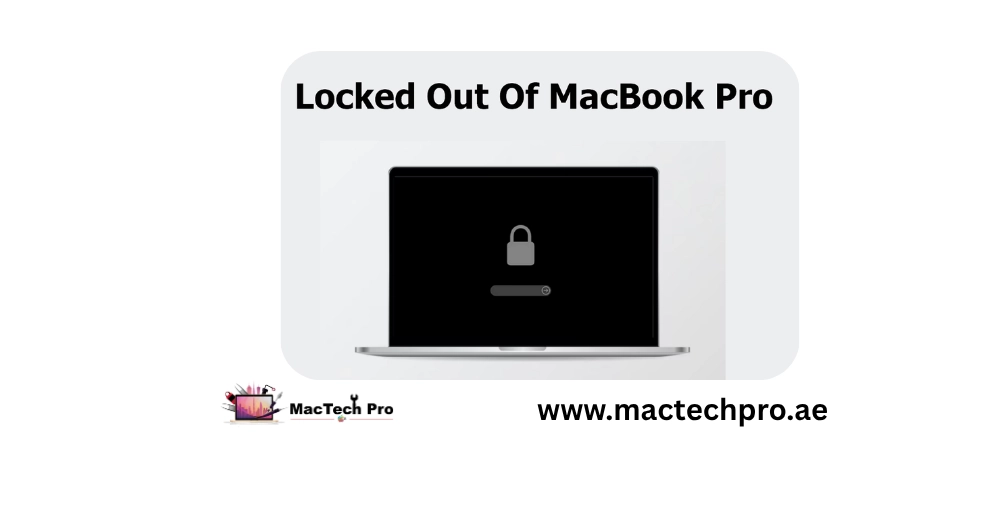
Locked out of a MacBook by Activation Lock or an iCloud account? If it's genuinely yours, there's a proper, permanent way back in. Here's how it works — and how MacTech Pro helps owners in Dubai.

Owner-verified only · Permanent & update-safe · No dodgy bypasses

Honest help from  Dan, Best Mac Technician in Dubai

Quick Answer

Activation Lock (part of Find My) ties a Mac to an Apple ID so a lost or stolen machine can't be wiped and reused. If you're locked out of your own Mac, every legitimate path runs through proving you own it: if you know the Apple ID, sign out of Find My / iCloud and remove the device; if it's second-hand, ask the previous owner to remove it (about 30 seconds, remotely); if you have proof of purchase but lost account access, use Apple's official process. Avoid "bypass" services — that's how stolen devices get resold, and those hacks tend to re-lock after an update.
Your Mac
Sign out of Apple ID
2nd-hand
Seller removes it
Proof
Apple's process
No
Bypass services
iCloud-locked MacBook help in Dubai — the proper owner-verified Activation Lock route, MacTech Pro
Every legitimate unlock runs through proving you own the Mac — that's what makes it permanent and update-safe. MacTech Pro, Dubai.

Activation Lock (part of Find My) ties a Mac to an Apple ID so a lost or stolen machine can't simply be wiped and reused. It's a genuinely good anti-theft feature — but it's frustrating if you're locked out of your own Mac, or you bought one second-hand and the previous owner forgot to remove it. The right fix is always ownership-based, and that's exactly the route that lasts. (Be wary of anyone promising a "bypass" — that's how stolen devices get resold, and those hacks tend to re-lock after an update anyway.)

Start Here

First, Which Situation Are You In?

Notice the common thread: every legitimate path runs through proving you own the Mac. That's not red tape — it's what makes the unlock permanent and update-safe.

It's your Mac & you know the Apple ID

The easiest case — you just need to sign out / remove it from your account.

You bought it second-hand

The previous owner needs to remove it from their account — it takes them about 30 seconds, remotely.

You have proof of purchase but lost account access

Apple has an official process to help the verified owner.

Your Own Mac

If You Know the Apple ID (Your Own Mac)

1

Sign out of Find My / iCloud

On the Mac (if you can reach settings) or from another device, sign in to the Apple ID and remove the MacBook.

2

Or remove it online

Go to the Apple ID account page, find the device list, and remove the MacBook from the account.

3

Restart

Once removed, Activation Lock clears and you can set the Mac up fresh. Done.

Second-Hand

If You Bought It Second-Hand

This is the most common reason people get stuck — the seller wiped the Mac but didn't remove it from their iCloud account first. The only legitimate fix is to reach the previous owner and ask them to remove it:

If you can't reach the seller and you have solid proof of purchase, Apple's official Activation Lock support process is the next step — and MacTech Pro can help you prepare the documentation for it.

Avoid This

Why "Bypass" Services Are a Bad Idea

We won't bypass anti-theft protection — and here's why you shouldn't trust it

You'll see shops and websites advertising iCloud "bypass" or "removal" for any locked Mac. We won't do that, for three reasons:

The owner-verified route is the only one that gives you a genuinely clean, permanent, fully-working machine.

Honest Help

How MacTech Pro Helps, Honestly

MacTech Pro — Dubai's most trusted MacBook service center with 380+ reviews — helps rightful owners get back into their Macs the proper way. We'll identify exactly which lock you're facing, guide you through signing out, contacting a previous owner, or preparing proof for Apple's official process, and get you to a clean, unlocked, update-safe machine. What we won't do is bypass anti-theft protection on a device that can't be verified — and we'd gently steer you away from anyone who offers to.

Honest diagnosis of the lock

We tell you which lock it is and the correct route to clear it.

Owner-verified unlock support

We help with the legitimate steps end to end.

No dodgy bypasses

Only proper, permanent, update-safe solutions.

→ Own the Mac and just need back in? Message MacTech Pro — bring your proof of purchase.

FAQ

Frequently Asked Questions

Activation Lock is part of Find My — it ties a Mac to an Apple ID so a lost or stolen machine can't simply be wiped and reused. It's a genuinely good anti-theft feature, but it's frustrating if you're locked out of your own Mac, or you bought one second-hand and the previous owner forgot to remove it. The fix is always ownership-based — that's the route that lasts.
If it's your Mac and you know the Apple ID, it's the easiest case: sign out of Find My / iCloud on the Mac (if you can reach settings) or from another device by signing in to the Apple ID and removing the MacBook — or remove it online from the Apple ID account page's device list. Restart, and Activation Lock clears so you can set the Mac up fresh.
This is the most common reason people get stuck — the seller wiped the Mac but didn't remove it from their iCloud account first. The only legitimate fix is to contact the previous owner and ask them to sign in to their Apple ID and remove the device (or sign out of Find My) — it takes about 30 seconds and they can do it remotely. Keep your purchase proof in case Apple's involvement is needed.
No — and you shouldn't trust anyone who offers to. 'Bypass' is exactly the method used to resell stolen devices, so it's unethical and risky; the hacks are unstable and frequently re-lock after a macOS update; and they can leave the Mac unable to update or use core features. MacTech Pro only helps rightful owners through the proper, permanent, owner-verified route.
Three reasons: it's the method used to resell stolen devices, so it's both unethical and risky; the hacks are unstable and frequently re-lock after a macOS update, leaving you back where you started; and it can leave the Mac unable to update or use core features properly. The owner-verified route is the only one that gives a genuinely clean, permanent, fully-working machine.
Yes — Apple has an official Activation Lock support process to help the verified owner. If you can't reach the seller and you have solid proof of purchase (a receipt or transfer record), that's the next step. MacTech Pro can help you prepare the documentation Apple needs for it.
We help rightful owners get back into their Macs the proper way. We identify exactly which lock you're facing, guide you through signing out, contacting a previous owner, or preparing proof for Apple's official process, and get you to a clean, unlocked, update-safe machine. What we won't do is bypass anti-theft protection on a device that can't be verified — and we'd gently steer you away from anyone who offers to.

Locked Out of Your Own Mac? Get Honest Help

Send us a photo of the lock screen and we'll tell you exactly which lock it is and the proper route to clear it — permanently and update-safe. Owner-verified only, no dodgy bypasses.

Owner-verified Activation Lock & iCloud unlock · honest, permanent · 380+ reviews

Get a free repair quote

Two quick steps — tell us about your MacBook Pro, then how to reach you. Free diagnosis, written quote, 90-day warranty.

1 Device
2 Contact
3 Review
Please enter your name and phone number.

Tap “Send on WhatsApp” and your details are pre-filled in a message to our team. We reply with a free written quote — no obligation.

★ Reviews

What Our Customers Say

Real reviews from MacBook Pro owners across Dubai who trusted us with their screen repair.

Copyright © 2026 All Rights Reserved — MacTech Pro
Call Now WhatsApp