
MacBook M3 Repair Service in Dubai
Broken MacBook M3? Skip Apple's price, and don't write the machine off. MacTech Pro fixes every M3, Air and Pro, all sizes, at component level, with internal screens and parts in ready stock for a fast turnaround. The MacBook M3 is a fast, modern machine and a genuinely worthwhile one to repair.
Component-level repair · Genuine-grade parts · 380+ reviews
Done by Dan's bench · Free pickup & delivery across Dubai
The Quick Answer
MacTech Pro repairs every MacBook M3 in Dubai, MacBook Air M3 (13" and 15") and MacBook Pro M3 (14" and 16", in M3, M3 Pro and M3 Max). Services include internal screen replacement, battery replacement, logic board repair, keyboard and trackpad replacement, MagSafe and USB-C / Type-C charging repair, water and liquid damage recovery, macOS installation, virus removal, no-power repair, and reviving a Mac stuck in DFU mode. We work at component level with a full in-house lab, including an ultrasonic cleaner for water damage, and keep screens and parts in ready stock for same-day turnaround. Free diagnosis, written warranty, pickup and delivery across Dubai, and UAE-wide courier.
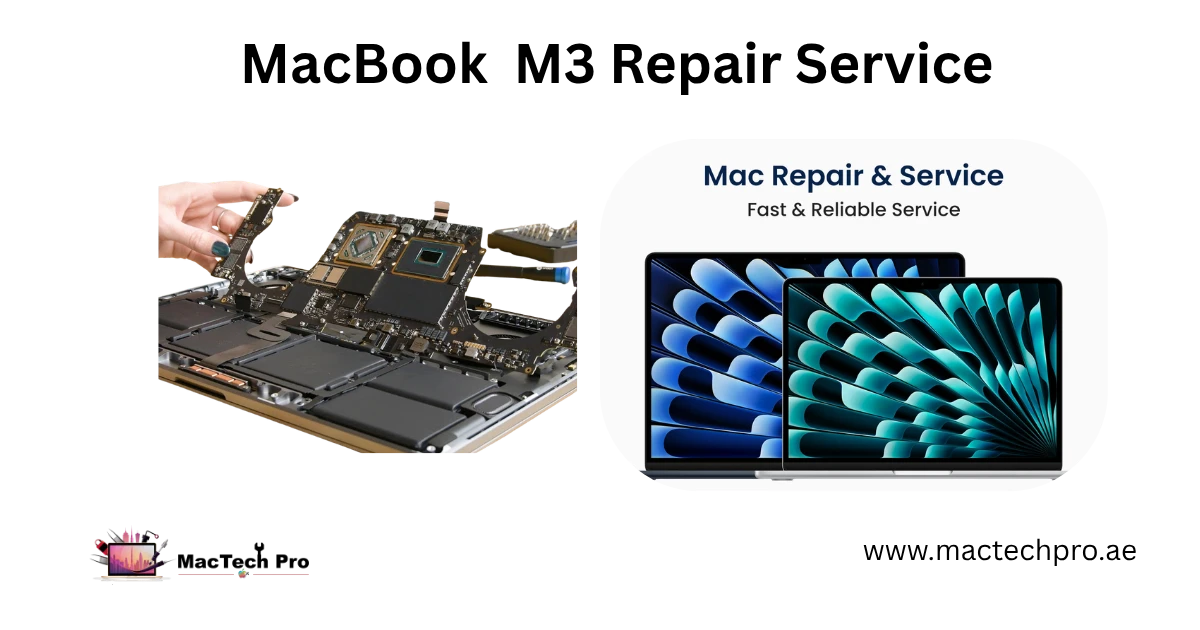
The Best Apple Silicon MacBook Repair in Dubai
Apple Silicon Macs need a different kind of repair, and we built MacTech Pro around exactly that. We are among the best Apple Silicon MacBook repair specialists in Dubai, and whatever the fault, a cracked screen, a worn battery, a dead motherboard, or water and liquid damage, we have the technicians and the lab to fix it. Our work is led by Dan, one of the best Mac technicians in Dubai, who handles the toughest board-level jobs other shops turn away. If it runs an Apple chip, we know it inside out.
About the MacBook M3
The MacBook M3 arrived as Apple's third-generation Apple Silicon laptop, built on a 3nm process with a faster GPU, hardware-accelerated ray tracing, and Dynamic Caching, a real step up from the M2.
The M3 family spans several machines. The MacBook Air M3 (13-inch and 15-inch, 2024) is fanless and light, with a Liquid Retina display and MagSafe charging. The MacBook Pro M3 (14-inch and 16-inch, 2023) adds active cooling, a brighter mini-LED Liquid Retina XDR display with 120Hz ProMotion, and comes in M3, M3 Pro and M3 Max versions, with the Pro and Max models offered in the striking Space Black finish.
What ties them together is the chip design: the processor, graphics and memory sit on one piece of silicon, with the storage soldered to the board. That's exactly why M3 repair has to be done at component level, there are no plug-in parts to swap, so the proper fix is finding the failed component and repairing it. Whichever M3 you own, MacTech Pro repairs it.
Signs Your MacBook M3 Needs Repair
Spot any of these? It's worth a free check before it gets worse:
- The screen is cracked, dark, flickering, or showing lines
- It won't switch on, or powers up to a blank display
- The battery dies quickly, drops out suddenly, or the case feels raised
- It won't charge, or the MagSafe / USB-C connection is unreliable
- Liquid has reached it, a splash, a spill, or worse
- Keys have stopped responding, or the trackpad won't click / ghost-touches
- It freezes, restarts on its own, or shows kernel-panic messages
- It's stuck in DFU mode, or frozen on the Apple logo
- It runs warm and sluggish, well off its usual pace
Common MacBook M3 Problems
The faults that come through our door most, with the short reason behind each:
- Cracked or damaged screen. A drop or pressure cracks the panel, repairable, and often internal-panel-only.
- Worn or swollen battery. Heavy use and Dubai heat wear the battery down, or cause it to swell and lift the case.
- No power / no display. Usually a board or power fault, a shorted part or a missing rail, not a dead machine.
- Charging faults. A failed MagSafe board, a worn USB-C port, or a charging-circuit fault on the board.
- Liquid damage. Corrosion spreads across the board, the sooner it's cleaned, the more is saved.
- Stuck in DFU mode. A firmware or restore problem that needs proper recovery, not guesswork.
- Keyboard / trackpad issues. Spills, wear, or a swollen battery pushing up beneath the trackpad.
Our MacBook M3 Repair Services
Everything we fix on the M3, across Air and Pro:
- MacBook M3 screen replacement. Cracked, dark, or lined Liquid Retina (Liquid Retina XDR on the Pro models) displays put right, internal panel-only where possible to keep your cost down.
- MacBook M3 battery replacement. Fresh full-capacity cells fitted; swollen batteries removed and disposed of safely.
- MacBook M3 logic board repair. No power, no charge, no image, random restarts, the component-level board work we specialise in.
- MacBook M3 keyboard replacement. For dead, sticky, or spill-damaged Magic keyboards.
- MacBook M3 trackpad replacement. For no-click or ghost-touch faults (we rule out a swollen battery first).
- MacBook M3 liquid damage repair. Juice, tea, soft drinks, any spill, cleaned and repaired component by component.
- MacBook M3 water damage repair. Ultrasonic board cleaning and full board-level recovery, our specialty.
- MacBook M3 charging port repair. MagSafe 3 board or charging-circuit repair so it charges reliably again.
- MacBook M3 USB-C / Type-C port replacement. For faulty Type-C ports used for charging, data, or an external display.
- MacBook M3 macOS installation. Clean install, recovery, or rescuing a Mac that won't boot.
- MacBook M3 virus & malware removal. Clearing out adware, fake “cleaners,” and unwanted software.
- MacBook M3 no-power repair. Board-level diagnosis to find why it won't start, and fix it.
- MacBook M3 stuck-in-DFU recovery. Proper firmware restore to bring a frozen Mac back to life.
MacBook M3 Cleaning Service : deep cleaning with chemical inside & outside both
→ Not sure what's wrong? Send MacTech Pro a photo of your MacBook M3 on +971 50 951 6827, the diagnosis is free.
Original Internal Screen Replacement
Here's something most shops won't do: we replace the internal screen only, not the whole lid. That means we fit a fresh, original internal Liquid Retina (Liquid Retina XDR on the Pro models) panel into your existing display assembly, keeping your camera, antennas, and housing, and it costs far less than a full display swap.
And because we calibrate the new panel properly, you don't lose any features. After our internal screen replacement, True Tone keeps working (and ProMotion too on the Pro models), exactly as it did from the factory. Cheaper shops skip the calibration and you lose those features for good. We don't.
- Internal panel only. We keep your original lid, camera and antennas, and replace just the screen.
- Original-quality panel. A genuine-grade Liquid Retina (Liquid Retina XDR on the Pro models) panel, not a cheap copy that fades or fails.
- Features preserved. True Tone keeps working (and ProMotion too on the Pro models) after the repair, properly calibrated.
Our Repair Tools & In-House Lab
Real Apple Silicon repair lives or dies on the equipment behind it. Here's our bench, and the job each tool does:
- Thermal camera. Pinpoints a shorted component by the heat it gives off, even when nothing looks damaged.
- Ultrasonic logic-board cleaner. Strips corrosion out from beneath the chips on liquid-damaged boards.
- DC power supply. Shows exactly how the board draws power, so we can trace where it fails.
- SMD rework station. For lifting and refitting tiny surface-mount chips without collateral damage.
- Microscope. For micro-soldering parts no bigger than a grain of rice.
- USB-C / Type-C power tester. Nails down charging and port faults with precision.
- Schematics & boardview software. Circuit maps that let us follow any line on the board.
- Fine tweezers & precision tools. For the smallest pins and connectors.
- SSD programmer. For storage-chip level work and data-recovery support.
- Wi-Fi chip programmer. To restore wireless-module firmware.
- BIOS / firmware programmer. For firmware-level repair and recovery.
- Complete screwdriver sets. The exact driver for every Apple screw, no improvising.
- Screen-removal heating pad. Opens and reseals the display cleanly, refitted with original adhesive for a factory-grade finish.
MacBook M3 Screens & Parts in Ready Stock
This is what keeps us fast. We hold MacBook screens in ready stock, for MacBook Air and MacBook Pro in every size, along with batteries and the other parts that fail most. So instead of waiting weeks for something to ship in, most repairs are finished the same day. Every screen is resealed with original adhesive, so your MacBook closes flush and feels factory-fresh.
- Screens in stock. Air and Pro, all sizes, ready to fit.
- Batteries in stock. Fresh full-capacity batteries across the range.
- Common parts in stock. Ports, cables, and more, so nothing holds up your repair.
Full Transparency – Watch Your Repair Happen
We don't hide our work behind a counter. At MacTech Pro you can watch your MacBook being repaired right in front of you, every step, from diagnosis to the final test. You see exactly what's wrong, exactly what we do, and exactly which parts go in. No mystery, no swapped components you didn't agree to, no inflated “while we were in there” charges. It's your Mac and your money, and you deserve to see the job done.
MacBook Water & Liquid Damage Specialists
Water and liquid damage is where we genuinely stand apart. A spill leaves corrosion that quietly spreads across the board, and most shops either can't clean it properly or simply tell you the logic board is dead. We don't. We use an ultrasonic cleaning machine that very few repair shops in Dubai have, it lifts corrosion out from underneath the chips where a brush or cloth can never reach, then we repair the damaged components at board level under the microscope.
That combination, the ultrasonic machine plus real board-level skill, is why we save MacBooks other people write off. One thing matters most with liquid: speed. The longer it sits, the further the corrosion travels. So power it off, don't try to charge it, and get it to us fast. We'll always prioritise recovering your data.
Is a MacBook M3 Still Worth Repairing?
Yes, easily. The M3 is a current, powerful machine, so repairing it almost always beats replacing it. The vast majority of faults, a screen, a battery, a charging port, a board-level fix, cost a fraction of a new MacBook and add years to the one you own. Even the scarier problems like no-power or a spill are usually repairable at component level. The only time we'd point you toward replacing is severe, multi-fault damage, and we'll say so plainly. Since the diagnosis is free, you'll know for certain before you spend a thing.
Our MacBook M3 Repair Process
- Free diagnosis. We pin down the real fault with proper board-level tools, no guesswork, and confirm your exact model.
- Fixed quote. A clear price, agreed before we start. Nothing added later.
- The repair. Component-level work on an ESD-safe bench, using ready-stock parts and original adhesive on any screen job, and you're welcome to watch.
- Full testing. We check everything, charging, display, True Tone, ProMotion, ports, before it leaves us.
- Back to you. Same-day collection where possible, or we deliver it across Dubai, all backed by a written warranty.
*And a real time-saver: we can fix several things in one go, screen, battery, logic board, ports, in the same visit, so you're not making repeat trips. Can't come in? Free pickup and delivery across Dubai, plus secure courier anywhere in the UAE.*
How to Improve Your MacBook M3's Performance
A few genuine ways to keep your Mac quick (no hardware swaps, since the memory and storage are built into the chip):
- Keep storage clear. A full drive slows any Mac down, leave some headroom, move big files off, and empty the Trash.
- Cut down startup apps. In System Settings > General > Login Items, drop anything you don't need opening on boot.
- Check Activity Monitor. Quit whatever's sitting high on CPU or memory, usually a stuck app or a runaway browser tab.
- Tame your browser. Stacks of open tabs eat memory, close the ones you're finished with.
- Stay updated. macOS updates bring fixes and speed-ups, install them when they land.
- Reboot now and then. A restart clears memory and tidies up background processes.
- Keep it cool. Heat makes any Mac throttle. Keep the vents clear and use it on a hard, flat surface so it can breathe.
*Still dragging after all that? It could be storage, software, or a hardware fault, bring it in and we'll check it free.*
Real Repairs We've Done
A few examples of the kind of work that comes through our door (details kept anonymous):
A top-spec 16-inch Pro with a cracked screen
A client brought in a fully loaded, top-of-the-range 16-inch MacBook Pro after the screen cracked, dreading Apple's out-of-warranty quote for a full display. We replaced just the internal panel with an original-grade XDR screen, kept the original lid and camera, and recalibrated it so True Tone and ProMotion worked perfectly. It came in looking broken and left looking brand new, for a fraction of the price. The client was genuinely delighted, and surprised it could be done at all.
Coffee spilled across a MacBook Air
A customer knocked a full coffee over their MacBook Air. They powered it off straight away (exactly right) and brought it in fast. We opened it, found corrosion starting to creep across the board, and ran it through the ultrasonic cleaner to lift the residue out from under the chips. A couple of corroded components were repaired, and the Air booted normally with all data intact. Speed saved it.
Salt-water damage from a beach day
Salt water is the worst kind of liquid damage, it corrodes fast and aggressively. A MacBook that caught sea spray came in already misbehaving. The ultrasonic machine was essential here, brushing alone would never have cleared the salt from under the chips. We cleaned and repaired it at board level and recovered the customer's work.
Every MacBook M3 We Repair
| Model | Chip | Model No. |
|---|---|---|
| MacBook Air 13" M3 (2024) | Apple M3 | A3113 |
| MacBook Air 15" M3 (2024) | Apple M3 | A3114 |
| MacBook Pro 14" M3 (2023) | Apple M3 | A2918 |
| MacBook Pro 14" M3 Pro (2023) | M3 Pro | A2992 |
| MacBook Pro 14" M3 Max (2023) | M3 Max | A2992 |
| MacBook Pro 16" M3 Pro (2023) | M3 Pro | A2991 |
| MacBook Pro 16" M3 Max (2023) | M3 Max | A2991 |
*Note: the 14-inch Pro/Max share model number A2992, and the 16-inch Pro/Max share A2991, they differ by chip, not chassis. Send us your model number and we'll confirm.*
Why Choose MacTech Pro for Your MacBook M3
- Best-in-class Apple Silicon repair. Among Dubai's top specialists, led by Dan, one of the best Mac technicians in Dubai.
- True board-level repair. We fix the failed component, not swap the whole board, cheaper, and it keeps your data.
- Internal screen replacement. Original-quality panel, with True Tone and ProMotion preserved.
- Water-damage specialists. An ultrasonic machine very few shops in Dubai have, plus real board skill.
- Watch your repair. Full transparency, your Mac is fixed in front of you.
- Screens & parts in stock. Many repairs done the same day.
- Free pickup & delivery. Across Dubai, plus secure courier to every emirate in the UAE.
- 380+ reviews. Dubai's most trusted MacBook service center.
Why bring it to MacTech Pro
- We repair the board at component level, not just swap it. On the M1, M1 Pro and M1 Max, a single failed component is usually the whole fault. Repairing that part is cheaper than a board swap and keeps your storage and data intact.
- Free, honest diagnosis and a fixed price first. You see the real fault and the real cost before any work. No fix, no fee.
- Genuine or OEM-grade parts, fitted and tested. That matters more on these models, where the mini-LED display and large batteries are expensive to get wrong.
- Work done by Dan's bench. Power-rail diagnosis and micro-soldering on Apple Silicon by one of Dubai's more experienced technicians, with 380+ reviews behind the shop.
- Your data comes first. These are pro machines, and we treat the data on them as the priority on every board and liquid job.
- Free pickup and delivery across Dubai, secure courier to the rest of the UAE, and a 3-month warranty on the repair.
Who does the work
Dan
Dan runs the bench at MacTech Pro and handles the board-level work himself: power-rail diagnosis, micro-soldering and data recovery on Apple Silicon Macs, including the M1, M1 Pro and M1 Max MacBook Pro. If another shop has told you the board is dead or the repair isn't possible, he's usually the one who proves otherwise. Every repair described here is carried out or checked by his team. Meet the technician →
Serving all of Dubai
Searching for MacBook M3 repair “near me”? MacTech Pro collects and delivers free across Dubai, and ships securely UAE-wide. Areas we regularly cover:
Every MacBook M3
MacBook Air 13″ M3
Screen, battery, logic board and charging repair for the MacBook Air 13″ M3 (A3113).
View repair pageMacBook Air 15″ M3
Screen, battery, logic board and charging repair for the MacBook Air 15″ M3 (A3114).
View repair pageMacBook Pro 14″ M3
Screen, battery, logic board and charging repair for the MacBook Pro 14″ M3 (A2918).
View repair pageMacBook Pro 14″ M3 Pro
Screen, battery, logic board and charging repair for the MacBook Pro 14″ M3 Pro (A2992).
View repair pageMacBook Pro 14″ M3 Max
Screen, battery, logic board and charging repair for the MacBook Pro 14″ M3 Max (A2992).
View repair pageMacBook Pro 16″ M3 Pro
Screen, battery, logic board and charging repair for the MacBook Pro 16″ M3 Pro (A2991).
View repair pageMacBook Pro 16″ M3 Max
Screen, battery, logic board and charging repair for the MacBook Pro 16″ M3 Max (A2991).
View repair pageFrequently asked questions
Usually, yes. A dead M3 is most often a board or power fault, a shorted component or a missing power rail, not the chip itself. We diagnose at component level, find the exact fault, and repair it. The diagnosis is free.
Yes. Being stuck in DFU mode is a firmware or restore problem. We use the proper firmware tools to recover and restore the M3 and get it booting normally, while protecting your data wherever possible.
We can replace the internal panel only on the M3, keeping your original lid, camera and antennas, which costs far less than a full display assembly. We calibrate it so True Tone (and ProMotion on the Pro models) keeps working.
It's our specialty. We use an ultrasonic cleaning machine very few shops in Dubai have to lift corrosion from under the chips, then repair the board at component level. Power the Mac off, don't charge it, and get it to us fast, speed saves the most.
Yes, we keep screens and batteries in ready stock for the M3 Air and Pro range, so many repairs are done the same day. Screens are refitted with original adhesive for a clean, factory-style seal.
Yes. We work with full transparency, you can watch your M3 being diagnosed and repaired right in front of you, so you see exactly what's done and which parts go in.
Almost always. It's a recent, powerful machine, and most faults are a single repair costing far less than a new MacBook. Even no-power or liquid damage is usually fixable at board level. If a machine genuinely isn't worth saving, we'll tell you honestly.
For most repairs, screen, battery, ports, your storage isn't touched at all. For board or liquid-damage jobs, recovering your data is our first priority. We'll always be straight with you about the realistic outcome.
Yes, free pickup and delivery across Dubai, and secure courier across the UAE. Send MacTech Pro your M3 model and the fault, and we'll arrange collection, diagnose it, and quote before any work.