
MacBook Pro 16-inch M4 Max Repair Dubai
Cracked 16.2-inch Liquid Retina XDR screen, worn battery, charging or thermal fault, liquid damage or a board that won’t power on? We repair the 16-inch MacBook Pro M4 Max (A3186), the flagship of the line, at component level in Dubai, with a free diagnostic, genuine-grade parts and a 3-month warranty.
Component-level repair · Genuine-grade parts · 380+ reviews
Done by Dan's bench · Free pickup & delivery across Dubai
The Quick Answer
MacTech Pro repairs the 16-inch MacBook Pro with the M4 Max chip, model number A3186, the most powerful MacBook Apple makes, at component level in Dubai. We replace cracked 16.2-inch Liquid Retina XDR screens, fit fresh batteries, fix MagSafe 3, Thunderbolt and HDMI charging and port faults, service cooling and thermal issues, recover liquid-damaged boards and revive machines that won’t power on, all at chip level rather than swapping the whole logic board the way an authorised counter would. Every repair starts with a free diagnostic and a fixed price you approve first, uses genuine-grade parts, and is backed by our No Fix, No Fee promise, a 3-month warranty and free pickup across Dubai.
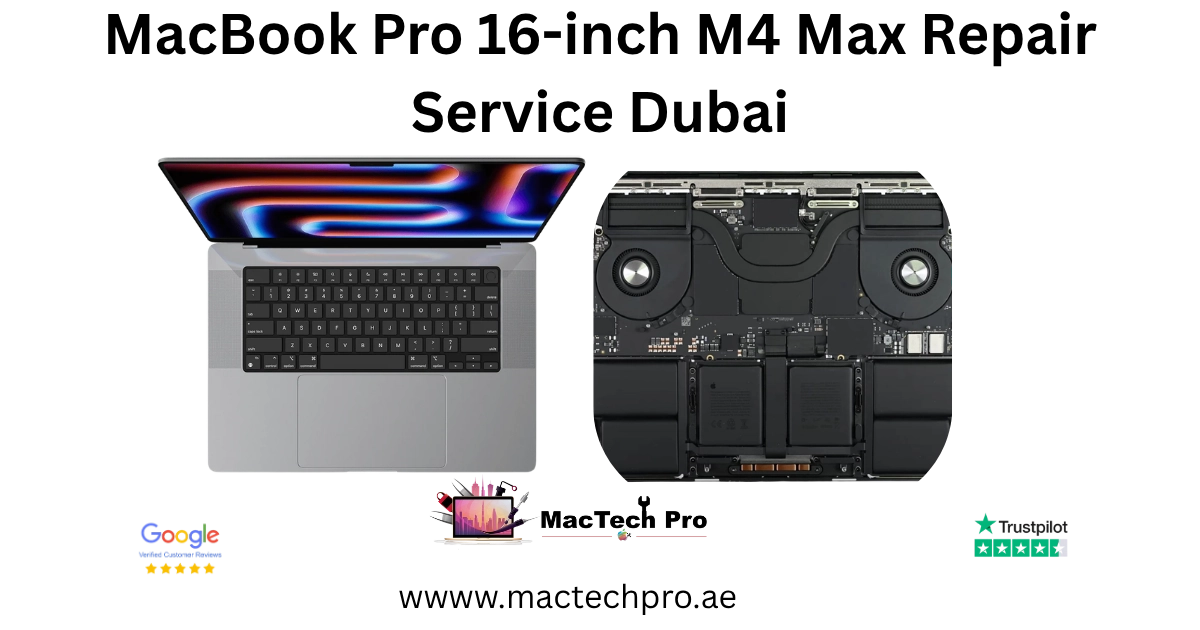
The 16-inch M4 Max, repaired properly
The 16-inch MacBook Pro with the M4 Max chip is the flagship of the entire MacBook line, the largest display paired with the most powerful processor and the most cooling headroom Apple puts in a laptop. It is, in every practical sense, a portable workstation: the kind of machine bought to handle 8K video, complex 3D and VFX, large machine-learning workloads and the most demanding creative pipelines, on a 16.2-inch Liquid Retina XDR canvas, without compromise. For the professionals and studios in Dubai who choose it, it is the maximum the platform offers, and the most valuable MacBook of all.
The large chassis does more than hold a big screen. It houses the biggest battery and the most capable cooling system in the range, which means the 16-inch M4 Max can sustain its enormous performance for longer, and run cooler under heavy load, than any other M4 machine, including the 14-inch M4 Max with the very same chip. The repair fundamentals remain those of the whole Pro line, the laminated Liquid Retina XDR mini-LED display, the glued-in battery, the M4-family logic board with storage and memory built in, and active cooling, here in their largest and most capable form.
As the most expensive MacBook, it is also the one where component-level repair saves the most. Replacing a whole logic board or a complete 16.2-inch XDR assembly the authorised way is an exceptionally large cost on this machine; repairing the actual failed part at chip level is a fraction of it, and keeps your original board and your work intact. Below is everything we fix on the 16-inch M4 Max, how each repair works, and honest pricing, all backed by a free diagnostic so you always know exactly where you stand first.
Built for the most demanding work
The 16-inch M4 Max is for those at the very top end of demanding work. It is the machine of high-end video editors and colourists, 3D and VFX studios, machine-learning and data professionals, and anyone whose projects simply require the most powerful laptop available on the largest screen. If you chose the 16-inch M4 Max, your machine is a central, high-value working tool, often running long, intensive jobs, and the data it holds is frequently irreplaceable mid-project.
For this kind of user, downtime carries a real cost and the stakes around the data are high, which is precisely why our approach suits them. A fast, free diagnostic to find the real fault, a fixed price with no surprises, component-level repair that preserves the original board and the work on it, a data-first mindset whenever a board is in trouble, and free pickup and delivery across Dubai for a large, valuable machine. When you are relying on the most powerful MacBook there is, dealing directly with the technician doing the work, and getting a straight answer, matters more than ever.
Every 16-inch M4 Max repair
From a cracked 16.2-inch Liquid Retina XDR panel to a dead board, here is what we repair on the 16-inch MacBook Pro M4 Max.
Screen replacement
Cracked Liquid Retina XDR display, dead pixels, lines and backlight faults.
Battery replacement
Fast drain, swelling and degraded health.
Charging & ports
No charge, MagSafe 3 and Thunderbolt port faults.
Liquid damage
Spills, corrosion and board-level recovery.
Won’t turn on
Dead boards, no-power and boot faults at chip level.
Logic board
Component-level board repair, not whole-board swaps.
Keyboard & trackpad
Unresponsive keys and Force Touch issues.
Data recovery
Recover files from a dead or liquid-damaged Mac.
Common 16-inch M4 Max problems we see
The 16-inch M4 Max sees the same family of faults as the rest of the Pro range, scaled to the largest and most powerful machine. Cracked 16.2-inch Liquid Retina XDR screens lead the list, being the biggest and most costly panel on the M4 line. Battery wear and swelling follow with age on the model’s larger cell, and charging or port faults across MagSafe 3, Thunderbolt, HDMI and SDXC are common on a machine that is used and connected intensively, often docked into a full studio setup.
Cooling, as ever on the Max chip, deserves attention, but the 16-inch handles it best of all. The large chassis gives the most thermal headroom in the range, so the 16-inch M4 Max sustains its huge performance better and throttles least under load, yet its fans and heat pipes still gather dust over time, and a clogged cooling system will eventually cost temperatures, noise and sustained speed, a thorough clean and service restores it. Liquid damage and board faults round things out, and on the most valuable MacBook of all, repairing them at component level rather than replacing the machine makes more sense than anywhere else in the line. The free diagnostic always confirms the precise cause before any work begins.
16-inch M4 Max screen replacement
On the 16-inch M4 Max, the 16.2-inch Liquid Retina XDR display is a professional reference instrument, frequently used for colour grading and finishing on a large canvas, so a correct replacement is essential. It is the largest, and most expensive, screen we replace on any M4 machine, a fully laminated mini-LED assembly engineered for reference-grade brightness and contrast. We replace 16-inch M4 Max screens that are cracked, showing lines, dead pixels, uneven backlight or abnormal blooming, or that have gone dark while the Mac still runs, fitting the correct 16.2-inch XDR panel for the A3186 and resealing the large lid with the camera, sensors and antennas fully protected.
Because the professionals using this machine depend on the display being exactly right, we test brightness, uniformity, ProMotion and the camera after every screen repair, confirming not just that the picture is back but that it is accurate. If the glass is intact but the image is faulty, the cause may be the panel or the display cable, and the diagnostic separates the two so the quote is precise. Where the unit has the nano-texture matte display favoured by many colour professionals, we source that specific panel. The 16-inch XDR screen is the most expensive M4 display there is, yet on a machine of this value it is a small fraction of the cost of replacing the whole laptop.
16-inch M4 Max battery replacement
The battery in the MacBook Pro 16-inch M4 Max is glued into the chassis and loses capacity with use, and the signs are easy to recognise: charge that drains far faster than it used to, sudden shutdowns with charge still showing, the machine only running while plugged in, or a battery that has swollen enough to lift the trackpad or unsettle the case. Swelling in particular is worth dealing with quickly, because the pressure can crack the Liquid Retina XDR display above it. We remove the old cell safely, fit a fresh genuine-grade battery matched to the original capacity, reseal the Pro properly and verify charging and battery health, restoring the all-day endurance this machine was designed for, on a Mac that is otherwise still excellent.
A battery replacement on the MacBook Pro 16″ M4 Max is one of the more predictable repairs we do, often completed the same day, and it transforms how a machine that had become tethered to its charger feels to use. We dispose of the old cell responsibly, and because we fit the correct capacity for your exact model, the macOS battery reading stays accurate afterwards.
16-inch M4 Max charging & ports
If your MacBook Pro 16″ M4 Max won’t charge, charges only intermittently, or a Thunderbolt port has stopped responding, the usual culprits are the MagSafe 3 connector, one of the USB-C / Thunderbolt ports, or the charging circuitry on the board, and occasionally nothing more than debris packed into a port. Rather than guessing, we diagnose the real cause first, then clean, repair or replace exactly what is needed, including board-level work on the charging circuit where that is the fault. We then test charging from empty to confirm it holds steady before the MacBook Pro 16″ M4 Max goes back to you.
A word on prevention, too: many charging faults on the MacBook Pro 16″ M4 Max trace back to a cheap or damaged cable stressing the port over time. Once we have your charging working again, using a quality cable and a known-good adapter is the simplest way to keep it that way.
16-inch M4 Max liquid damage repair
Liquid is the most urgent fault any MacBook Pro 16″ M4 Max can suffer, because the residue keeps corroding the densely packed M4 board for days after the spill, long after the screen looks fine. If your MacBook Pro 16″ M4 Max has taken liquid, stop using it, do not charge it, and bring it in quickly. Our approach is board-level: we open the machine, assess the corrosion, clean the board thoroughly, including ultrasonic cleaning where needed, and repair the specific components the liquid attacked. We are always honest that corrosion can never be fully guaranteed, but our success rate is high, and even in cases where a board cannot be saved we can usually recover your data first.
With liquid, speed changes everything. A MacBook Pro 16″ M4 Max brought in within hours of a spill has a far better outlook than one left switched on, or charged, for days while corrosion spreads. If you cannot reach us immediately, simply power it off and leave it off, do not try to dry it with heat, and bring it in as it is.
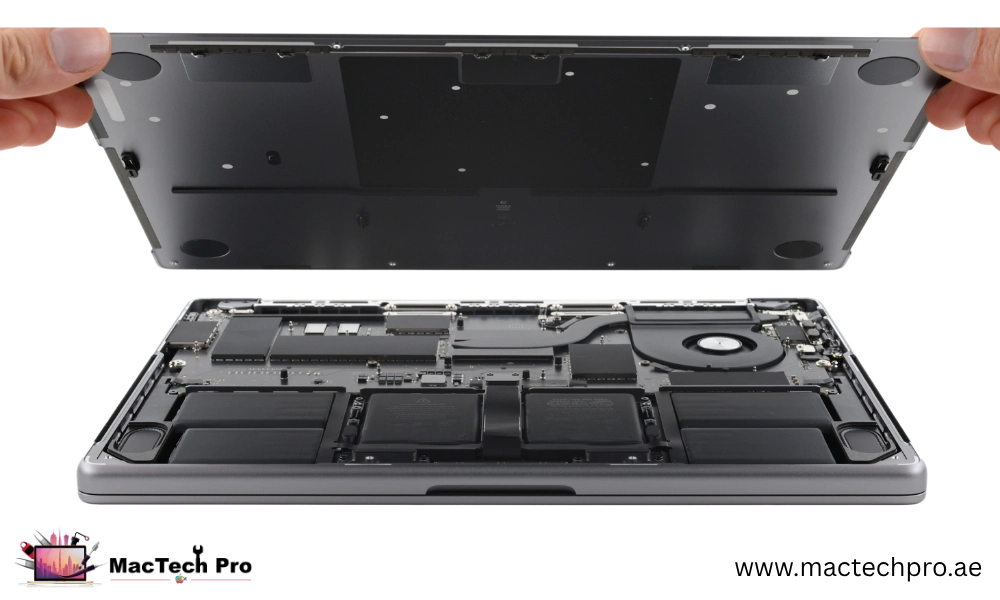
16-inch M4 Max no-power & board repair
A 16-inch M4 Max that will not power on is the single strongest case for component-level repair anywhere in the MacBook line, because it is the most expensive board to replace of all. The M4 Max chip, the memory and the SSD storage are all part of one logic board, so the authorised answer is a complete board swap at flagship cost. We instead test the power rails and charging circuit directly on the board to pinpoint exactly why it will not start, whether a power-management chip, the charging circuit, liquid corrosion, a thermal-related failure or another component, and repair that fault at chip level, returning the same machine for a fraction of the price, with the original board and your work preserved.
And as on every Apple Silicon Mac, a dead 16-inch M4 Max rarely means lost data. No sign of life does not mean a failed drive, the storage is almost always intact, with the fault on the power side of the board. We will give you an honest verdict on whether the board is worth repairing, and where it is not, recovering your data becomes the priority, which on a flagship workstation mid-project is almost always the outcome that matters most. Every step comes with a clear explanation and a fixed price before anything proceeds.
Keyboard, trackpad, audio & camera
Not every fault is a headline one, and the smaller problems still make a MacBook Pro 16″ M4 Max frustrating to use. Keys that do not respond or repeat, a trackpad where the Force Touch click has failed or the cursor jumps, speakers that crackle or have gone silent, and the camera when it shows a black image or will not focus, we diagnose and repair all of these. On Apple Silicon these parts connect through delicate flex cables and tie into the board, so a proper repair means the right part and careful handling rather than a rushed swap, and we test audio, camera, keyboard and trackpad before returning your Mac.
Where keys feel sticky or unresponsive because of dust and crumbs rather than a hardware fault, a careful internal clean is often all that is needed, and we will always tell you when that is the case rather than fitting a part you do not need.
Same chassis, different chip
This page is for the 16-inch MacBook Pro with the M4 Max chip, model number A3186, the flagship of the MacBook line. It shares its 16-inch chassis with the M4 Pro, the difference is the processor. If your machine has the M4 Pro, see our 16-inch M4 Pro repair page; if you have the 14-inch M4 Max, see 14-inch M4 Max repair. About This Mac names the exact chip if you are unsure.
Your repair, step by step
Free diagnostic
We diagnose your MacBook Pro 16″ M4 Max at no charge to confirm the exact fault, checking the display, board, battery, charging and storage before any work begins.
Fixed quote, approved by you
We give you a clear, fixed price with no obligation. Work only starts once you approve it, and the price we quote is the price you pay, with nothing added later.
Component-level repair
We carry out the repair with genuine-grade parts and the right tools, at chip level where that is what the fault needs, and reseal your MacBook Pro 16″ M4 Max correctly.
Tested & returned
We test the repair thoroughly, then return your Mac with a 3-month warranty. Free pickup and delivery anywhere in Dubai.
16-inch M4 Max repair prices
16-inch M4 Max repair pricing depends on the fault. The 16.2-inch Liquid Retina XDR screen is the largest single part on any M4 machine, cooling services are predictable and fixed, and board-level work, which on this flagship saves the most against an authorised whole-board swap, is quoted after diagnosis. The figures below are realistic starting points, your exact price is confirmed after the free diagnostic, with no obligation and no hidden charges. If we can’t fix the fault, you don’t pay for the attempt.
An honest, independent specialist
MacTech Pro is an independent Apple-device specialist in Dubai Sports City, not an authorised Apple counter, and on a machine like the MacBook Pro 16″ M4 Max that works firmly in your favour. Apple’s authorised route tends to replace whole boards and assemblies, which is reliable but extremely costly once you are out of warranty. We repair the component that has actually failed, keeping your original board and your data, at a fraction of that price. Every repair is carried out to board-level standards by our lead technician, Dan, with a free diagnostic, genuine-grade parts and a 3-month warranty behind it. And if your MacBook Pro 16″ M4 Max is still under Apple’s warranty or covered by AppleCare+, we will tell you honestly to use Apple, because that is the right answer for you.
Just as important, you deal directly with the person doing the work. There is no call-centre script and no upselling, only a clear diagnosis, a fixed price and an honest recommendation, including, when it applies, telling you a repair is not worth it. That transparency is why so much of our work on machines like the MacBook Pro 16″ M4 Max comes through word of mouth across Dubai.
Caring for your Pro
A few habits keep a MacBook Pro 16″ M4 Max healthy for years. A protective sleeve and a keyboard cover guard against the knocks and crumbs that cause most damage, charging with a quality cable and steering clear of cheap, uncertified chargers protects the battery and ports, and keeping drinks well away prevents the corrosion behind the most expensive repairs of all. If something does go wrong, acting early almost always means a simpler, cheaper fix, which is exactly why our diagnostic is free, there is never a charge just to find out where you stand. Whatever the outcome, you deal directly with the technician doing the work and get an honest answer, every time.
And if you are ever unsure whether something is worth repairing, just ask. We would far rather give you an honest answer, even when that means telling you a machine has reached the end of its life, than sell you a repair you do not need. That honesty, on every MacBook Pro 16″ M4 Max that comes in, is the whole point of how we work.
Why bring it to MacTech Pro
- We repair the board at component level, not just swap it. On the M1, M1 Pro and M1 Max, a single failed component is usually the whole fault. Repairing that part is cheaper than a board swap and keeps your storage and data intact.
- Free, honest diagnosis and a fixed price first. You see the real fault and the real cost before any work. No fix, no fee.
- Genuine or OEM-grade parts, fitted and tested. That matters more on these models, where the mini-LED display and large batteries are expensive to get wrong.
- Work done by Dan's bench. Power-rail diagnosis and micro-soldering on Apple Silicon by one of Dubai's more experienced technicians, with 380+ reviews behind the shop.
- Your data comes first. These are pro machines, and we treat the data on them as the priority on every board and liquid job.
- Free pickup and delivery across Dubai, secure courier to the rest of the UAE, and a 3-month warranty on the repair.
Who does the work
Dan
Dan runs the bench at MacTech Pro and handles the board-level work himself: power-rail diagnosis, micro-soldering and data recovery on Apple Silicon Macs, including the M1, M1 Pro and M1 Max MacBook Pro. If another shop has told you the board is dead or the repair isn't possible, he's usually the one who proves otherwise. Every repair described here is carried out or checked by his team. Meet the technician →
Serving all of Dubai
Searching for MacBook Pro 16″ M4 Max repair “near me”? MacTech Pro collects and delivers free across Dubai, and ships securely UAE-wide. Areas we regularly cover:
More from MacTech Pro
16-inch M4 Max repair — frequently asked questions
It depends on the fault. Common repairs on the MacBook Pro 16″ M4 Max start from around AED 199 for a battery, with screen and board-level work quoted after a free diagnostic. We always give you a fixed price before any work, with no obligation to go ahead.
Yes. The battery is glued into the MacBook Pro 16″ M4 Max, so it is removed carefully, especially if it has swollen. We fit a fresh genuine-grade cell, reseal the machine and verify charging and battery health, restoring full battery life to an otherwise excellent Mac.
We repair it at component level. Because the M4 chip, memory and storage are all part of the MacBook Pro 16″ M4 Max logic board, replacing the whole board is hugely expensive, which is what an authorised counter usually does. We instead find and repair the specific failed component, keeping your original board and your data.
Yes, and it is one of the most common things we diagnose. We test the power and charging circuits directly on the board to find why it will not start, then repair at chip level. Your data normally stays safe on the storage and can be recovered as part of the repair.
Yes, and the sooner the better, because liquid keeps corroding the board for days. We clean the board, including ultrasonic cleaning where needed, and repair the affected components. We are honest that corrosion can never be guaranteed, but our success rate is high and we can usually recover your data even in the worst cases.
For out-of-warranty repairs, almost always, because we repair the faulty component rather than replacing the whole board or assembly. A board-level fault Apple might quote as a full board swap is frequently a fraction of that with us. If your Mac is in warranty or has AppleCare+, Apple is usually the better route, and we will say so.
Yes. Every repair comes with a 3-month warranty covering the specific repair and the part fitted, plus our No Fix, No Fee promise. If the same fault returns within the warranty period, we put it right at no cost.
Yes, we offer free pickup and delivery across Dubai. We can collect your Mac, run the free diagnostic and repair, and return it to you, keeping you updated throughout.
Common repairs such as a battery or a screen are often completed the same day. Board-level work can take longer because it is done carefully at component level. We give you a realistic timeframe with your quote.
The MacBook Pro 16″ M4 Max carries the model number A3186, printed on the underside of the case. If you are unsure which M4 you have, send us that number, beginning with A, and we will confirm it.
No appointment is needed. You are welcome to visit us in Dubai Sports City during working hours, or message us first on WhatsApp if you prefer. If you would rather not travel, we can arrange free pickup and delivery anywhere in Dubai.
In most cases, yes. Because the storage is part of the M4 logic board, a board repair often brings your data back with the machine, and even where a board cannot be fully revived, we can usually recover your photos, documents and files. If your data matters, tell us up front and we will prioritise it.
We use genuine-grade, quality-tested parts and tell you exactly what is being fitted, and the price, before we start. For board-level repairs we often fix your original components directly, so there is no replacement part at all, just your own board, repaired.
If your Mac is still within Apple’s warranty or covered by AppleCare+, we will always advise you to use Apple first, because that is the right choice for you. As an independent repairer our repairs sit outside Apple’s warranty, but they carry our own 3-month warranty. For out-of-warranty machines, this is simply the more affordable way to get a genuine-grade repair.
If the Mac still works, back up anything important first, a Time Machine backup or a copy of your key files is ideal. Note your login passcode so we can test the repair properly, and remove any case or stickers if you can. If the Mac will not turn on at all, just bring it in and we will take care of the rest.
On Apple Silicon the storage and memory are part of the logic board and cannot be upgraded after purchase. What we can do is help with the practical side, recovering or cloning your data and setting up reliable external or cloud storage, and advise you honestly on whether a repair or a higher-capacity machine makes more sense.
Yes. Sluggish performance or unusual heat can come from software, a failing battery, or dust and debris inside the machine. We diagnose the real cause, clean and service the internals where needed, and advise on anything software-related, so your Mac runs cool and responsive again.
Yes. We repair M4 machines regardless of where they were originally bought, the hardware and parts are the same. Bring us the model and the fault and we will diagnose and quote it exactly as we would any other, with the same free diagnostic, genuine-grade parts and 3-month warranty.
At MacTech Pro, Stadium Point Building, Office 311, Dubai Sports City. We serve customers right across Dubai with free pickup and delivery, so wherever you are in the city, you can have your Mac collected, diagnosed and repaired.
Everything is done in-house, in our Dubai Sports City workshop, by our own technicians. Your {M['short']} is never sent to a third party or shipped abroad, which means faster turnaround, full control over quality, and your machine staying safely with us throughout.
Many common repairs, such as a battery or a screen, are completed the same day. Board-level and liquid-damage work can take a little longer because it is done carefully at component level. We give you a realistic timeframe with your fixed quote so you always know what to expect.
The most accurate quote comes from our free diagnostic, where we confirm the exact fault before pricing it. For a quick indication you can message us on WhatsApp with your model and a description of the problem, and we will give you a realistic estimate, with the firm price confirmed after the diagnostic.
Yes, we repair the full MacBook range, every Air and Pro from the Intel era through to the latest Apple Silicon, including all the M4, M4 Pro and M4 Max models. Whatever you have, or pick up next, we can look after it.
We accept the usual convenient payment methods, and you only pay once the repair is done and you are happy with it. There is no charge for the diagnostic, and under our No Fix, No Fee promise, if we cannot fix the fault, you do not pay for the attempt.
Yes. If the diagnostic shows the issue is software rather than hardware, a failed update, a corrupt system, or storage that is full, we will tell you honestly and help you sort it, rather than charging you for a part you do not need.
Always. If the cost of repair does not make sense against the value of the machine, we will say so plainly and talk you through the alternatives, including data recovery and sensible replacement options. We would rather lose a repair than have you spend money you should not.
The 16.2-inch Liquid Retina XDR panel is the largest and most expensive screen on the entire M4 range, starting from around AED 1,690, as it is a large, fully laminated mini-LED assembly. Even so, it is a small fraction of the cost of replacing this flagship machine. Your exact price is confirmed after the free diagnostic.
Yes. With the same M4 Max chip, the 16-inch has a larger chassis, a bigger cooling system and more thermal headroom, so it sustains heavy workloads longer and throttles less under load than the 14-inch. Keeping its cooling clean and dust-free, which we service, preserves that advantage over the life of the machine.
More than any other model, yes, because it is the most expensive MacBook to replace. Component-level repair of a 16.2-inch XDR screen, a battery or a board fault is a fraction of replacement cost and keeps your original board and your work. We give honest repair-or-replace advice after the free diagnostic.
Yes. We fit the correct 16.2-inch Liquid Retina XDR panel for the A3186 and test brightness, uniformity and ProMotion afterwards, because colour-critical professionals rely on the display being exactly right. Where your machine has the nano-texture matte panel, we source that specific display rather than a standard one.
Open About This Mac from the Apple menu, which names the chip as M4 Pro or M4 Max, and the model number A3186 identifies the flagship 16-inch configuration. If you are unsure, send us the A-number and a photo of the About This Mac panel and we will confirm your exact model.