
MacBook Pro 16-inch M5 Max Repair Dubai
Cracked XDR screen, failing battery, charging fault, liquid damage, loud fans or a board that won’t power on? We repair the MacBook Pro 16-inch M5 Max (A3429) at component level in Dubai — 16.2-inch Liquid Retina XDR screen replacement, battery, charging, cooling and board-level repair — with a free diagnostic, genuine-grade parts and a 3-month warranty.
Component-level repair · Genuine-grade parts · 380+ reviews
Done by Dan's bench · Free pickup & delivery across Dubai
The Quick Answer
MacTech Pro repairs the MacBook Pro 16-inch M5 Max, model number A3429, at component level in Dubai. We handle MacBook Pro 16-inch M5 Max Liquid Retina XDR screen replacement, battery replacement, MagSafe 3 and Thunderbolt 5 charging faults, liquid damage, cooling and fan service, and board-level repair, fixing at chip level rather than swapping the whole board the way an authorised counter would. As the most powerful and most valuable MacBook of all, component-level repair saves the most here. Every MacBook Pro 16-inch M5 Max repair in Dubai starts with a free diagnostic and a fixed price you approve first, uses genuine-grade parts, and is backed by our No Fix, No Fee promise, a 3-month warranty and free pickup across Dubai.
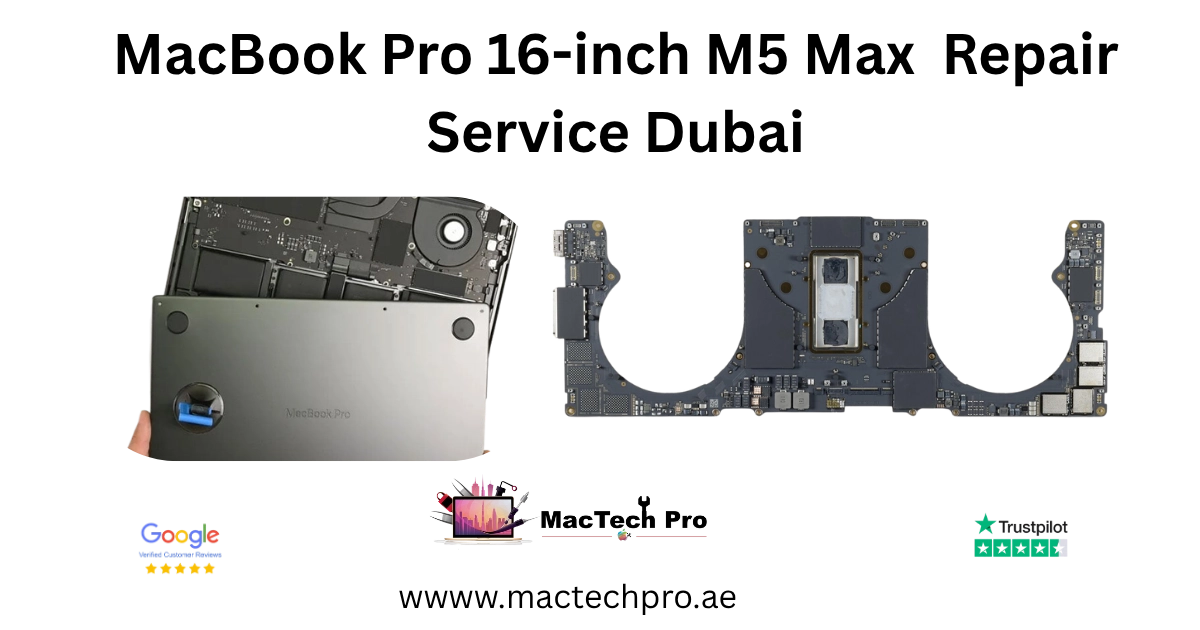
The MacBook Pro 16-inch M5 Max, repaired properly
The MacBook Pro 16-inch M5 Max sits at the very top of the entire MacBook line, the most powerful Mac laptop Apple makes. The M5 Max chip offers up to a 40-core GPU and can be configured with up to 128GB of unified memory, behind a vast 16.2-inch Liquid Retina XDR display, making it a true desktop-replacement workstation for the most demanding video, 3D and machine-learning work. For professionals whose projects push hardware to its limits, nothing in the line goes further.
It is also the most valuable MacBook of all, which makes the case for repair stronger than for any other model: when a machine this expensive develops a fault, replacing it is a serious cost, while repairing the specific failed component is dramatically cheaper and keeps your original Mac and your data. The larger chassis gives the M5 Max’s hard-working cooling system welcome headroom, but the big XDR display and the fused logic board still demand expert, careful handling during any repair.
Everything that typically goes wrong with a MacBook Pro 16-inch M5 Max, from a cracked XDR panel to a charging fault to a board-level failure, is repairable at component level in our Dubai Sports City lab. On the most valuable MacBook in the world, that component-level approach is unquestionably the sensible, cost-effective choice. Below is everything we fix, how it works, and honest pricing.
Built for the most powerful Mac laptop made
The MacBook Pro 16-inch M5 Max is for professionals who need the absolute maximum, the most powerful Mac laptop available, with the largest display. It is the tool of choice for high-end video and film editors, VFX and 3D artists, machine-learning engineers and developers working with the largest models and datasets, all of whom benefit from the M5 Max’s enormous GPU, up to 128GB of unified memory, and a vast, colour-accurate Liquid Retina XDR display. For these users it is a portable workstation with no compromises.
It also appeals to production houses, studios and research teams in Dubai that invest in the most capable Macs Apple sells. On the most valuable MacBook of all, protecting that investment with expert, component-level repair, rather than replacing it over a single fault, is simply the right decision, and exactly what we provide.
The M5 generation, and what it means
If you are upgrading from an older MacBook, it helps to know what the M5 generation changed, because some of it affects how the MacBook Pro 16-inch M5 Max is used and repaired. The headline is AI: the M5 chip adds a Neural Accelerator to each GPU core for dramatically faster on-device AI, around four times the M4 for AI tasks, which is part of why the Pro M5 feels so capable for its size. Apple also added Wi-Fi 7 and Bluetooth 6 through its new N1 wireless chip, and doubled the base storage to 512GB, so there is more room as standard.
For repair, the principle that matters most is integration. On the M5, the chip, the unified memory and the SSD storage are all part of a single logic board. That is what makes these Macs fast and efficient, but it also means a board fault, in an authorised setting, can condemn the whole board and take your storage with it. Component-level repair is the answer: by repairing the individual part that actually failed, a power chip, a charging circuit, a corroded line, we keep your original board, and your data, intact. That is the heart of every MacBook Pro 16-inch M5 Max repair we do, and the reason a board-level fault is so often a fraction of the price an authorised counter would quote for a full board.
Signs your MacBook Pro 16-inch M5 Max needs repair
A MacBook Pro 16-inch M5 Max rarely fails without warning. Spotting the early signs and acting on them is the difference between a quick, affordable repair and a bigger one, which is exactly why our diagnostic is free. Here are the symptoms we are asked about most.
Screen and display warning signs
Because the MacBook Pro 16-inch M5 Max uses a laminated 16.2-inch Liquid Retina XDR display, display faults tend to show clearly. Dealing with them early keeps the repair simple and stops small problems spreading.
Cracks, lines or flickering on the 16.2-inch screen
A visible crack, vertical lines, flicker or coloured patches mean the panel or its display cable needs attention. On a laminated display these rarely improve on their own and can spread across the screen, so a free diagnostic sooner rather than later is worthwhile.
A dim, dark or black MacBook Pro 16-inch M5 Max screen
If the MacBook Pro 16-inch M5 Max is clearly powered on but the screen is very dim or black, the backlight circuit or the panel itself is usually the cause. We confirm which at board level, so you are quoted for the real fault rather than the most expensive one.
Battery and power warning signs
Battery wear is gradual, and the warning signs are easy to miss until they become disruptive. None of them mean the machine is finished; they mean it is time for a battery.
Rapid drain or unexpected shutdowns
Charge that disappears far faster than it used to, or shutdowns while the battery still shows charge remaining, almost always point to a worn cell. A MacBook Pro 16-inch M5 Max battery replacement is one of the more predictable repairs we do, and frequently a same-day one.
Swelling, a lifting trackpad or a flexing case
If the trackpad starts to lift or click oddly, or the case no longer sits flat, the battery may be swelling. This should be dealt with promptly: stop charging the machine and bring it in so we can remove the swollen cell safely and fit a fresh one.
Charging and connection warning signs
If your MacBook Pro 16-inch M5 Max only charges at a certain cable angle, charges intermittently, or no longer charges at all, the MagSafe 3 connector, a Thunderbolt port or the charging circuit is the likely cause, and sometimes it is simply debris in the port. Either way it is straightforward for us to diagnose and put right.
Performance, heat and other signs
Unusual or persistent heat, sluggish performance, or features that stop working, the keyboard, trackpad, speakers or camera, can have several causes, from a tired battery to a board fault to something software-related. Our free diagnostic finds the real one, so you are never guessing or paying for the wrong repair.
After any liquid contact
If anything has been spilled on or near your MacBook Pro 16-inch M5 Max, treat it as urgent even if the machine still seems fine. Liquid residue keeps corroding the board for days. Power it off, do not charge it, and bring it in quickly, the sooner we clean and treat the board, the better the outcome.
Every MacBook Pro 16-inch M5 Max repair
From a cracked 16.2-inch Liquid Retina XDR panel to a dead board, here is what we repair on the MacBook Pro 16-inch M5 Max.
MacBook Pro 16-inch M5 Max screen
Cracked 16.2-inch Liquid Retina XDR display, lines and backlight faults.
MacBook Pro 16-inch M5 Max battery
Fast drain, swelling and degraded health.
Charging & ports
No charge, MagSafe 3 and Thunderbolt faults.
Liquid damage
Spills, corrosion and board-level recovery.
Won’t turn on
Dead boards, no-power and boot faults at chip level.
Logic board
Component-level board repair, not whole-board swaps.
Keyboard & trackpad
Unresponsive keys and Force Touch issues.
Data recovery
Recover files from a dead or liquid-damaged Mac.
MacBook Pro 16-inch M5 Max screen replacement in Dubai
Screen damage is the most common MacBook Pro 16-inch M5 Max repair we handle, and it is the speciality of Richard, our dedicated MacBook screen replacement specialist. The 16.2-inch 16.2-inch Liquid Retina XDR display is a laminated panel, so a crack usually means replacing the display assembly rather than just the glass. Richard fits the correct screen for your A3429, reseals the lid and tests brightness and the camera before returning it.
Cracked or shattered MacBook Pro 16-inch M5 Max screen
A drop or a knock in a bag is the usual cause. Because the 16.2-inch Liquid Retina XDR display is laminated, even a small crack normally needs a full display assembly, and it is worth dealing with quickly before it spreads or lets in dust. MacBook Pro 16-inch M5 Max screen replacement is one of our most common jobs.
Lines, flickering or dead pixels
Vertical lines, flicker, discoloured patches or dead pixels can come from the panel or the display cable. Our free diagnostic tells the two apart so your MacBook Pro 16-inch M5 Max screen repair is quoted for the right fault, not the most expensive one.
Backlight failure or dark screen
If your MacBook Pro 16-inch M5 Max lights up faintly but shows almost nothing, the backlight circuit or the panel is usually at fault. We diagnose it at board level and repair or replace only what is needed.
MacBook Pro 16-inch M5 Max battery replacement in Dubai
Every MacBook Pro 16″ M5 Max uses a glued-in battery that wears with time. We remove the old cell safely, fit a fresh genuine-grade MacBook Pro 16-inch M5 Max battery matched to the original capacity, reseal the machine and verify charging and battery health, restoring the all-day life it was built for.
Fast battery drain or sudden shutdowns
Charge that drains far faster than it used to, or shutdowns with charge still showing, usually point to a worn battery. A MacBook Pro 16-inch M5 Max battery replacement is predictable and often completed the same day.
Swollen MacBook Pro 16-inch M5 Max battery
A swollen battery can lift the trackpad or press on the 16.2-inch Liquid Retina XDR display and should be dealt with promptly. Stop charging it and bring it in; we remove the swollen cell safely and fit a fresh one.
MacBook Pro 16-inch M5 Max charging and Thunderbolt repair
If your MacBook Pro 16-inch M5 Max won’t charge, charges intermittently, or a port has stopped working, the cause is usually the MagSafe 3 connector, a USB-C / Thunderbolt 5 port or the charging circuit on the board, and sometimes just debris. We diagnose the real cause, repair or replace what is needed, and test charging from empty.
MacBook Pro 16-inch M5 Max liquid and water damage repair
MacBook Pro 16-inch M5 Max water damage repair is the most urgent job, because liquid keeps corroding the board for days. Our process is board-level: we clean the board, including ultrasonic cleaning where needed, and repair the components the liquid attacked. Stop using it, do not charge it, and bring it in quickly for the best outcome.
MacBook Pro 16-inch M5 Max logic board repair and no-power faults
A MacBook Pro 16-inch M5 Max that won’t power on is where component-level skill matters most. Because the M5 chip, memory and storage are all part of the board, an authorised counter typically replaces the whole board at huge cost. We test the power and charging circuits directly on the board, then repair at chip level, keeping your original board and your data.
MacBook Pro 16-inch M5 Max won’t turn on
A no-power fault does not mean the machine is beyond repair, and it very rarely means your data is gone. In most cases the storage is intact and the fault is a specific component on the power side of the board.
Liquid-damaged or corroded MacBook Pro 16-inch M5 Max board
Where liquid has reached the board, we assess the corrosion and repair the affected components, and where a board cannot be saved we focus on recovering your data first.
MacBook Pro 16-inch M5 Max cooling and fan repair
Unlike the fanless Air, the MacBook Pro 16-inch M5 Max uses active cooling, so over time the fans can fill with dust, run loud, or fail outright, which leads to heat and performance throttling on demanding work. We clean and service the cooling system, replace a failed fan and reapply thermal paste where needed, so your MacBook Pro 16-inch M5 Max runs cool and quiet again and holds its full performance under load.
MacBook Pro 16-inch M5 Max keyboard, trackpad, audio and camera repair
We also fix the smaller faults: unresponsive or repeating keys, a Force Touch trackpad that has stopped clicking, speakers that crackle, and the Center Stage camera when it shows a black image. We test every function before returning your MacBook Pro 16″ M5 Max.
Same chassis, different chip
The 16-inch MacBook Pro M5 Max (A3429), this page, shares its 16.2-inch chassis and Liquid Retina XDR display with the M5 Pro (A3428). As the most powerful and most valuable MacBook, component-level repair saves the most here. Because the two look identical, confirm your model number on the underside so parts and quote match. If you have a 14-inch model instead, see our 14-inch M5 Max repair page.
Your repair, step by step
Free MacBook Pro 16-inch M5 Max diagnostic
We diagnose your MacBook Pro 16″ M5 Max at no charge to confirm the exact fault, checking the display, board, battery, charging and storage before any work begins.
Fixed quote, approved by you
We give you a clear, fixed price with no obligation. Work only starts once you approve it, and the price we quote is the price you pay.
Component-level repair
We carry out the repair with genuine-grade parts and the right tools, at chip level where the fault needs it, and reseal your MacBook Pro 16″ M5 Max correctly.
Tested & returned
We test the repair thoroughly, then return your Mac with a 3-month warranty. Free pickup and delivery anywhere in Dubai.
The tools & specialists behind every repair
Component-level repair is only as good as the lab and the people behind it. Every MacBook Pro 16-inch M5 Max repair is carried out in-house at our Dubai Sports City workshop, never sent away, using professional equipment and handled by named specialists rather than a faceless counter.
The tools behind every MacBook Pro 16-inch M5 Max repair
Board-view schematics and diagnostics
We work from board-view schematics and boardview diagnostics to trace a fault to the exact component on the logic board, so a no-power or no-charge MacBook Pro 16-inch M5 Max is diagnosed precisely rather than guessed at.
Micro-soldering and hot-air rework
Our micro-soldering stations and hot-air rework tools let us replace tiny board components, power chips, charging ICs and connectors, under magnification. This is the heart of true board-level repair, and what lets us save a board an authorised counter would simply replace.
Ultrasonic cleaning for liquid damage
For liquid and water damage, ultrasonic cleaning lifts corrosion from deep in the board that wiping alone never could, giving your MacBook Pro 16-inch M5 Max the best possible chance of a full recovery.
Microscopes, power supplies and thermal tools
Digital microscopes, bench power supplies and thermal measurement let us inspect, power and test the board safely at every stage, so nothing is left to chance during your MacBook Pro 16-inch M5 Max repair.
The specialists who repair your MacBook Pro 16-inch M5 Max
Dan — lead MacBook technician
Board-level diagnostics and micro-soldering are led by Dan, our lead MacBook technician, who carries out the no-power, charging and logic-board repairs that define component-level work.
Richard — MacBook screen replacement specialist
Screen work is handled by Richard, our dedicated MacBook screen replacement specialist. Because screen replacement is the single most common MacBook Pro 16-inch M5 Max repair, having a specialist focused on it means cleaner, more reliable results on those laminated Liquid Retina and Liquid Retina XDR panels, every time. Read Richard’s full profile →
MacBook Pro 16-inch M5 Max repair prices
MacBook Pro 16-inch M5 Max repair pricing depends on the fault, with the large Liquid Retina XDR display the part that most affects it. The 16.2-inch XDR mini-LED panel is the biggest and costliest in the line, so a screen replacement is the priciest common repair, while a battery is a predictable, fixed job and board-level work is quoted after diagnosis. The figures below are realistic starting points; your exact price is confirmed after the free diagnostic, with no obligation and no hidden charges. If we can’t fix the fault, you don’t pay for the attempt.
An honest, independent specialist
MacTech Pro is an independent Apple-device specialist in Dubai Sports City, not an authorised Apple counter, and on a machine like the MacBook Pro 16″ M5 Max that works firmly in your favour. Apple’s authorised route replaces whole boards and assemblies, reliable but extremely costly out of warranty. We repair the component that actually failed, keeping your original board and your data, at a fraction of the price. Every MacBook Pro 16″ M5 Max repair is carried out to board-level standards by our lead technician, Dan, with a free diagnostic, genuine-grade parts and a 3-month warranty. If your MacBook Pro 16″ M5 Max is still under Apple’s warranty or AppleCare+, we will tell you honestly to use Apple, because that is the right answer for you.
You also deal directly with the person doing the work. No call-centre script, no upselling, just a clear diagnosis, a fixed price and an honest recommendation, including, when it applies, telling you a repair is not worth it. That is why so much of our MacBook Pro 16″ M5 Max work comes by word of mouth across Dubai.
Caring for your Pro
A few habits keep a MacBook Pro 16″ M5 Max healthy for years. A protective sleeve and a keyboard cover guard against the knocks and crumbs that cause most damage, charging with a quality cable and avoiding cheap chargers protects the battery and ports, and keeping drinks well away prevents the corrosion behind the most expensive repairs of all. If something does go wrong, acting early almost always means a simpler, cheaper MacBook Pro 16″ M5 Max repair, which is exactly why our diagnostic is free.
And if you are ever unsure whether a repair is worth it, just ask. We would rather give you an honest answer, even when that means telling you a machine has reached the end of its life, than sell you a repair you do not need. That straightforwardness is the whole reason people across Dubai keep coming back to us, and keep sending their friends and colleagues our way.
Genuine-grade parts, your data safe
Two questions come up on almost every MacBook Pro 16-inch M5 Max repair: are the parts genuine, and is my data safe. On parts, we use genuine-grade, quality-tested components and tell you exactly what is being fitted, and the price, before we start. For board-level repairs we very often fix your original components directly, so there is no replacement part at all, just your own board, repaired. We never fit unknown, bargain-bin parts and present them as something they are not.
On data, the news is reassuring. Because the storage is part of the M5 logic board, a board repair usually brings your files back with the machine, and even in the worst cases, a board we cannot fully revive, we can normally still recover your data. If your files matter, and they almost always do, tell us up front and we will prioritise getting them back. We treat every MacBook Pro 16-inch M5 Max as if it were our own: cleaned, tested across every function, and returned in the condition you would want it. That care, with a free diagnostic, a fixed price and a 3-month warranty, is what an honest, independent repair should feel like.
Why bring it to MacTech Pro
- We repair the board at component level, not just swap it. On the M1, M1 Pro and M1 Max, a single failed component is usually the whole fault. Repairing that part is cheaper than a board swap and keeps your storage and data intact.
- Free, honest diagnosis and a fixed price first. You see the real fault and the real cost before any work. No fix, no fee.
- Genuine or OEM-grade parts, fitted and tested. That matters more on these models, where the mini-LED display and large batteries are expensive to get wrong.
- Work done by Dan's bench. Power-rail diagnosis and micro-soldering on Apple Silicon by one of Dubai's more experienced technicians, with 380+ reviews behind the shop.
- Your data comes first. These are pro machines, and we treat the data on them as the priority on every board and liquid job.
- Free pickup and delivery across Dubai, secure courier to the rest of the UAE, and a 3-month warranty on the repair.
Who does the work
Dan
Dan runs the bench at MacTech Pro and handles the board-level work himself: power-rail diagnosis, micro-soldering and data recovery on Apple Silicon Macs, including the M1, M1 Pro and M1 Max MacBook Pro. If another shop has told you the board is dead or the repair isn't possible, he's usually the one who proves otherwise. Every repair described here is carried out or checked by his team. Meet the technician →
Serving all of Dubai
Searching for MacBook Pro 16″ M5 Max repair “near me”? MacTech Pro collects and delivers free across Dubai, and ships securely UAE-wide. Areas we regularly cover:
More from MacTech Pro
MacBook Pro 16-inch M5 Max repair — frequently asked questions
It depends on the fault. Common repairs on the MacBook Pro 16-inch M5 Max start from around AED 220 for a battery, with screen and board-level work quoted after a free diagnostic. We always give you a fixed price before any work, with no obligation to go ahead.
Yes. The battery is glued into the MacBook Pro 16″ M5 Max, so it is removed carefully, especially if it has swollen. We fit a fresh genuine-grade cell, reseal the machine and verify charging and battery health, restoring full battery life.
We repair it at component level. Because the M5 chip, memory and storage are all part of the MacBook Pro 16-inch M5 Max logic board, replacing the whole board is hugely expensive, which is what an authorised counter usually does. We instead find and repair the specific failed component, keeping your original board and your data.
Yes, and it is one of the most common things we diagnose. We test the power and charging circuits directly on the board to find why it will not start, then repair at chip level. Your data normally stays safe on the storage and can be recovered as part of the repair.
Yes, and the sooner the better, because liquid keeps corroding the board for days. We clean the board, including ultrasonic cleaning where needed, and repair the affected components. We are honest that corrosion can never be guaranteed, but our success rate is high.
For out-of-warranty repairs, almost always, because we repair the faulty component rather than replacing the whole board or assembly. A board-level fault Apple might quote as a full board swap is frequently a fraction of that with us. If your Mac is in warranty or has AppleCare+, Apple is usually the better route, and we will say so.
Yes. Every repair comes with a 3-month warranty covering the specific repair and the part fitted, plus our No Fix, No Fee promise. If the same fault returns within the warranty period, we put it right at no cost.
Yes, we offer free pickup and delivery across Dubai. We can collect your Mac, run the free diagnostic and repair, and return it to you, keeping you updated throughout.
Common repairs such as a battery or a screen are often completed the same day. Board-level work can take longer because it is done carefully at component level. We give you a realistic timeframe with your quote.
The MacBook Pro 16-inch M5 Max carries the model number A3429, printed on the underside of the case. If you are unsure which M5 you have, send us that number, beginning with A, and we will confirm it.
No appointment is needed. Visit us in Dubai Sports City during working hours, or message us first on WhatsApp. If you would rather not travel, we can arrange free pickup and delivery anywhere in Dubai.
In most cases, yes. Because the storage is part of the M5 board, a board repair often brings your data back with the machine, and even where a board cannot be revived, we can usually recover your files. Tell us if your data matters and we will prioritise it.
We use genuine-grade, quality-tested parts and tell you exactly what is being fitted, and the price, before we start. For board-level repairs we often fix your original components directly, so there is no replacement part at all.
If your Mac is still within Apple’s warranty or covered by AppleCare+, we will advise you to use Apple first. As an independent repairer our repairs sit outside Apple’s warranty but carry our own 3-month warranty. For out-of-warranty machines, this is the more affordable way to get a genuine-grade repair.
If the Mac still works, back up anything important first. Note your login passcode so we can test the repair, and remove any case if you can. If the Mac will not turn on, just bring it in and we will take care of the rest.
Many common repairs, such as a battery or a screen, are completed the same day. Board-level and liquid-damage work can take a little longer because it is done carefully at component level. We give you a realistic timeframe with your fixed quote.
Yes. We repair M5 machines regardless of where they were bought, the hardware and parts are the same. Bring us the model and the fault and we will diagnose and quote it exactly as any other, with the same free diagnostic, genuine-grade parts and 3-month warranty.
At MacTech Pro, Stadium Point Building, Office 311, Dubai Sports City. We serve customers right across Dubai with free pickup and delivery, so wherever you are, you can have your Mac collected, diagnosed and repaired.
The most accurate quote comes from our free diagnostic. For a quick indication you can message us on WhatsApp with your model and a description of the fault, and we will give you a realistic estimate, with the firm price confirmed after the diagnostic.
We are an independent, MacBook-only specialist in Dubai Sports City, repairing M5 machines at board level by our lead technician Dan. You get a free diagnostic, a fixed price, genuine-grade parts, a 3-month warranty, free pickup across Dubai, and an honest answer every time.
Yes. Alongside the bigger repairs, we fix the smaller faults that still make a MacBook Pro 16-inch M5 Max frustrating, a Center Stage camera showing a black image, speakers that crackle or stay silent, and microphone problems on calls. We test every function before returning your Mac so nothing is missed.
Yes. Heat and sluggish performance on a MacBook Pro 16-inch M5 Max can come from a tired battery, a board fault, or something software-related. Our free diagnostic finds the real cause, we service and clean the internals where needed, and we advise honestly on anything software-side, so your Mac runs cool and responsive again.
It depends on the fault. A battery starts from around AED 360 and a 16.2-inch Liquid Retina XDR screen from around AED 1,790, with board-level work quoted after a free diagnostic. As the most valuable MacBook of all, repairing the specific failed component rather than replacing the machine saves the most of any model.
More than any other Mac, yes. It is the most expensive MacBook to replace, so a component-level repair, even a board-level one, is dramatically cheaper than a new machine and keeps your original Mac and your data. We give honest repair-or-replace advice after the free diagnostic, every time.
Yes. The M5 Max generates serious heat under sustained work, and over time the cooling system collects dust or a fan fails, causing throttling and noise even on the larger chassis. We clean and service the cooling, replace a failed fan and reapply thermal paste, so your Max holds full performance and runs quietly again.
In most cases, yes. Because the storage is part of the M5 Max logic board, repairing the board usually brings your data back with the machine, and even where a board cannot be revived, we can normally still recover your files. Tell us your data matters and we will prioritise it during the repair.
The 16-inch MacBook Pro M5 Max is model number A3429, printed on the underside of the case. The 16-inch M5 Pro is A3428. As the two look identical, send us the A-number that begins with A and we will confirm your exact model.